
So you’ve heard about MFL (Metaverse Football League) and want to give it a go? Good shout. Whether you’re here for the football, the strategy, or the chance to build a digital club from scratch, this guide will walk you through exactly how to get started.
But first, what is MFL?
MFL is an online football management game built on three key foundations:
- Football: Real football strategy is at the heart of the game. Whether it’s formations, tactics, or player roles, the gameplay rewards football knowledge.
- Gaming: Like Football Manager or FIFA’s career mode, it’s a game of decisions, planning, and progression. If you’ve played any of these games in the past, the gameplay will feel familiar.
- Blockchain: Every player is a unique NFT. This means you can buy, sell, or hold players, and every match or training session is part of a wider ecosystem of value. So, unlike the games mentioned above, here you truly own the assets you play with.
The blend of these three makes MFL stand out from both traditional fantasy football and regular football management sims. And like other games, this is primarily about entertainment, not ‘yields’. MFL is a game you can play on different sized budgets but the focus is on fun so although you may make some money back from selling your assets in the game, that’s not the focus for most people.
But wait! What about people who are suspicious of NFTs and don’t want to get involved with all that stuff? That’s fine! MFL has extracted all of the complications around the blockchain and has hidden it in the background. So you don’t need to worry about signing confusing transactions or moving money across different chains. It’s super easy to get involved.
And this is how…
Step 1: Sign up with a referral link
Rather than heading straight to the site, use someone’s referral link to sign up. It helps them and it helps you too because it means you get gifted a free Common player after you buy your first pack (minimum spend $25). You can find plenty posted online or feel free to use mine: https://app.playmfl.com/?referrer=3D7036
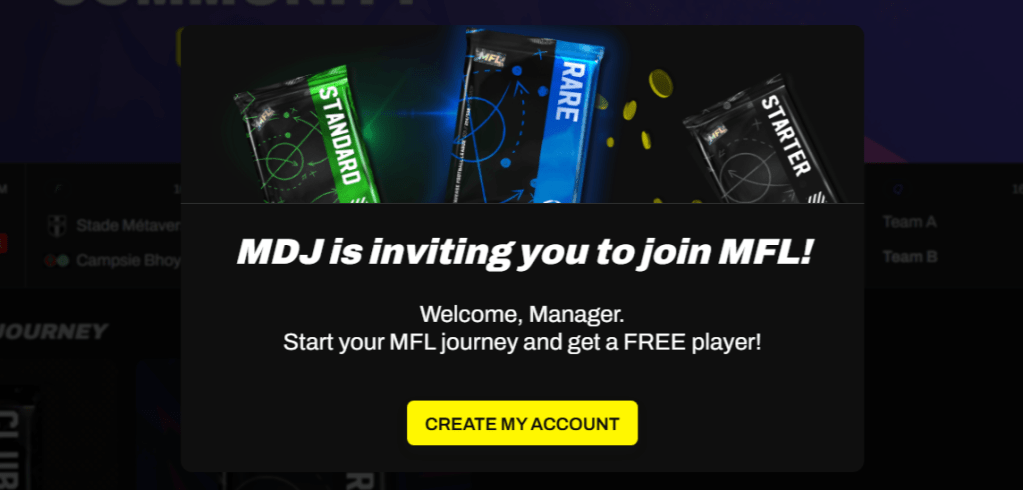
There is no downside to this so don’t skip this step! It’s also a nice way to begin connecting with other people in the game, and people will usually help you out if you’ve used their link (so hit me up if you use mine).
STEP 2: Create your Dapper Wallet
MFL uses a Dapper wallet for seamless interaction with the blockchain. If you don’t already have one, you’ll be prompted to set one up at this stage. It’s pretty painless and you can use a social login like Google or Apple to make things even easier.
Step 3: Start your MFL journey
Now you’re signed up you’ll be given a little bit of an intro to the site and you’ll be asked to pick an ‘assistant’ to help show you around. Don’t worry too much about this step – it’s a purely cosmetic decision and doesn’t impact your game.
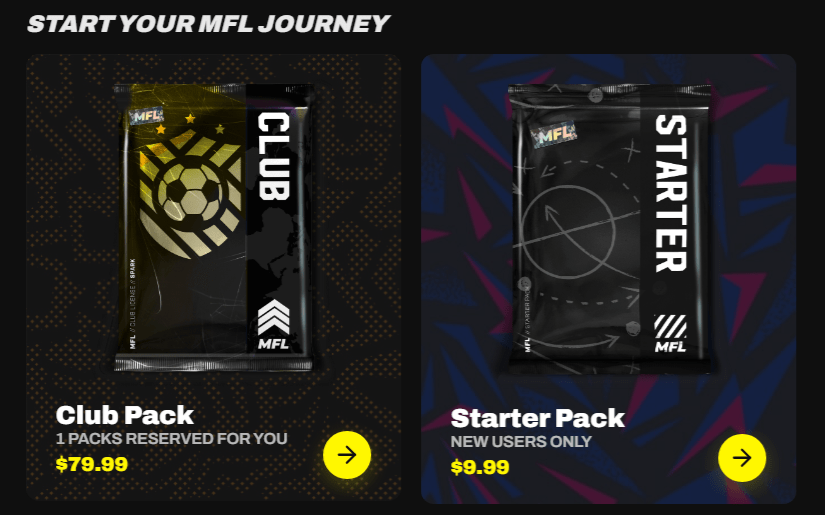
The first real decision you have to make is how you want to start your journey. Do you want to be a Club Owner? Or do you want to be an Agent in the game?
To become a Club Owner, you need to buy a club pack. You’ll see there are two fresh club licences for you reserved on the site so you can jump straight in by snapping up one of them if you like.
Once you’ve bought your club, you can have some fun customising it with a club name, club colours and a logo. ChatGPT and apps like Canva are your friend if you need help with some of that.
Alternatively you can go down the cheaper route of becoming an Agent. Three starter packs are reserved for you in the game as a new user, which gives you a solid start with six players in your agency. Starter packs are a cost-effective way to begin collecting players with a mix of positions and rarities but be warned – they can be amazing but they can also be terrible (RNG at it’s finest!) so you might want to browse the marketplace as well and pick up some players that you really want.
Most people go down the combined route of being a Club Owner and Agent – that’s what I did.
Step 4: Start exploring the site
Before you do anything else, take some time to explore the site a bit. Understand where everything lives and how to switch between the different parts e.g.: when you’re viewing things as an agent versus when you’re viewing your club. The site navigation can be slightly different on desktop to mobile too.
Some useful bits to explore early on:
- My Account – go here to set up your profile and link to your X account, if you have one
- My HQ – you can access info about your club/s and players from here.
- Scouting – this is where you search for players to loan
- Marketplace – this is where you search for players to buy
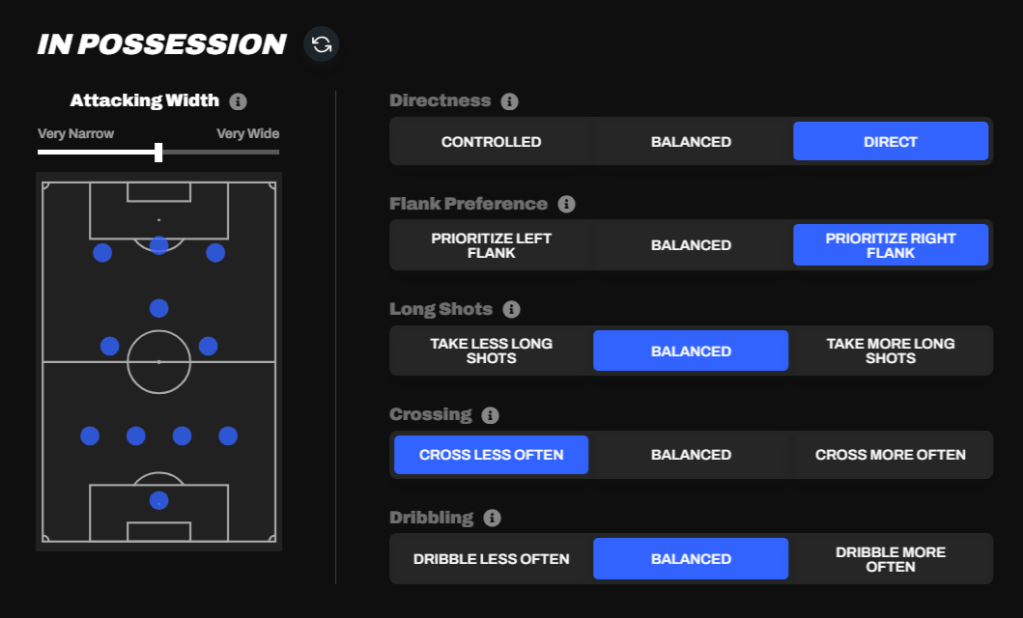
- Tactics – if you have a club, this is where you can set your team and player instructions
Step 5: Read the whitepaper!
This sounds boring but it’s not as bad as you might think AND it’s super important to help you understand how MFL works as a game. Honestly, you need to read this early on in your MFL career otherwise some stuff just isn’t going to make sense and you will make mistakes, trust me. You can find it here: https://whitepaper.playmfl.com/
It’s also a great way to get a feel for what’s coming. MFL isn’t a finished game yet so some features haven’t been built out yet. You’re here early, which is great!
Really can’t be bothered to read it? That’s alright, I’ve got you covered! Head over to my summary of the top 5 insights from the whitepaper and that’ll give you the lowdown on the most important stuff you need to know.
Step 6: Join the community
MFL is a social game at it’s heart and that’s what makes it so much fun. Meeting and talking to other people in the game is great for banter on matchdays and is vital when it comes to securing cheap loan deals.
Discord is the place to be. Here are three servers I’d recommend you join:
- Ramble Discord – nice community here around MFL and other games
- WenDirkCast – the home of the WenDirkCast podcast and all things MFL
- The official MFL Discord – make sure you join this for official updates
Step 7: Bookmark some sites that can help you
The community has built some great tools to help you on your MFL journey so make sure you bookmark them and have a play around:
- MFL Player Info – put in a player’s ID to find out their best positions and rough value
- MFL Assistant – lots of game info to dig into here and you can sign up for email alerts too (the daily progression report is a must!)
- MFL Coach – the sister site of MFL Assistant, with more detailed game analysis
- MFL Manager – a French site with useful info about clubs and divisions, and projected finishes each season
- MetaFixerLab – a retro-themed site that tell you how much MFL you’re on track to win each season
- MFL Leaks – a Chrome extension which improves your experience on the MFL site
- MFL Stats – loads of useful information about your agency and the wider world of MFL
Registrations for Season 9 closed on 12th October 2025 so get scouting, start working on your tactics and connecting with others in the community – and have fun!
 MDJ
MDJ 
One thought on “How to get started with MFL: A beginner’s step-by-step guide”